War Thunder Custom Skins

Your ultimate guide to the art, tech, and community behind custom skins in War Thunder — from installation hacks to exclusive interviews with top Indian skin creators.

Last updated: By WarIndia Team India Edition

What Are War Thunder Custom Skins?

War Thunder, the massively multiplayer military game developed by Gaijin Entertainment, has one of the most passionate modding communities in the world. Among the many ways players express their creativity, War Thunder Custom Skins stand out as a vibrant intersection of art, identity, and technical skill. Unlike default vehicle paintjobs, custom skins allow you to completely transform the look of your tanks, planes, and ships — from historical recreations to wild, original designs.

For Indian players, the custom skin scene has grown exponentially in recent years. Whether you want to rep the tricolour on your T-72 or roll into battle with a Bengal tiger motif on your Su-30MKI, the possibilities are endless. This guide is your one-stop resource for everything about War Thunder Custom Skins, curated specially for the warindia.com community.
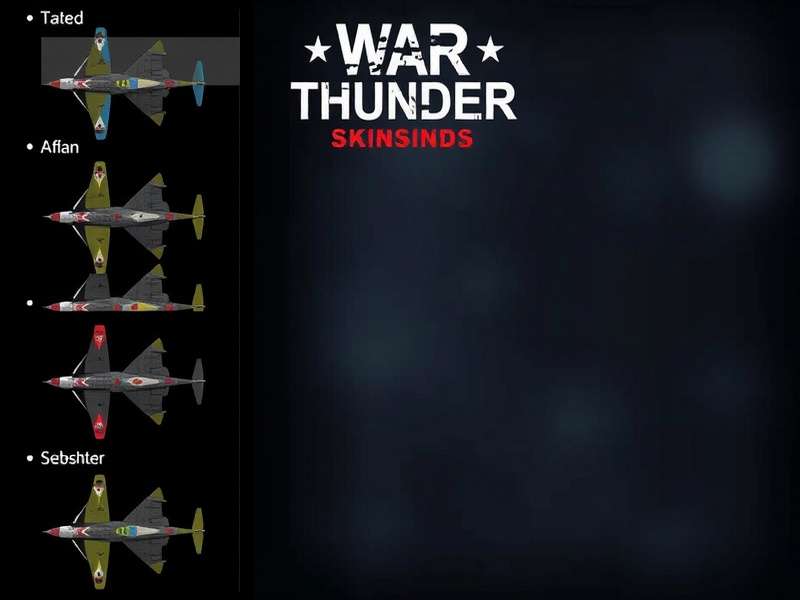
In this comprehensive guide, we cover:

Whether you're a veteran pilot or a newcomer, this page will help you take your War Thunder experience to the next level. Let's dive in. 🚀

How to Install War Thunder Custom Skins

Installing custom skins in War Thunder is easier than most players think. Below is a complete walkthrough for Windows, macOS, and console players (via user skins).

Step-by-Step Installation (PC)

  1. Download a skin — from trusted sources like War Thunder Wiki or community forums.
  2. Locate your War Thunder directory — usually C:\Program Files (x86)\Steam\steamapps\common\War Thunder\UserSkins.
  3. Create a folder named after the vehicle (e.g., t-72av_turms).
  4. Extract the skin files into that folder — ensure the .blk and texture files are in the right place.
  5. Launch War Thunder → go to Customization → select the vehicle → choose your skin from the list.

💡 Pro tip: Always back up your original files before modding. Some custom skins may require specific game version compatibility — check the War Thunder News for updates.

Console & Cross-Platform Notes

Console players (PlayStation, Xbox) can use user skins via the User Skins feature, but installation is restricted to approved content. You can still browse and download skins on PC and transfer them via USB. For the full list of compatible vehicles, visit the War Thunder Wiki.

Quick Tips

  • Use .blk files for proper mapping
  • Keep resolution at 2048×2048 or lower for performance
  • Join the community forums for feedback

Common Issues

  • Skin not showing → check folder structure
  • Texture glitches → update GPU drivers
  • Game crash → remove recently added skins

Top 10 War Thunder Custom Skins for Indian Players

We've combed through hundreds of community submissions and ranked the most popular, highest-quality custom skins. These picks reflect the taste of Indian players and global trends alike.

  1. 🇮🇳 Tiranga T-72AV (TURMS-T) — A vibrant tricolour skin with Ashoka Chakra details. Perfect for Indian armour enthusiasts.
  2. 🐅 Bengal Tiger Su-30MKI — Orange-and-black striped camouflage inspired by the Royal Bengal Tiger. Created by a Kolkata-based modder.
  3. 🌪️ Desert Storm M1A2 Abrams — Sand-toned tactical skin with Indian Air Force roundels. A crossover favourite.
  4. 🏔️ Himalayan Camo Leopard 2A7 — White-and-grey digital pattern for mountain warfare. Ideal for snowy maps.
  5. 🎨 Abstract Pixel Art P-51 Mustang — Neon pixel design that glows in night battles. A hit among younger players.
  6. 🔥 Flaming Phoenix MiG-21 Bison — Red-and-gold phoenix motif wrapping the fuselage. Stunning in replays.
  7. 🌊 Ocean Wave Type 10 — Blue gradient with wave patterns, inspired by Japanese ukiyo-e but with Indian ocean colours.
  8. ⚔️ Samurai Armour T-90A — Metallic finish with traditional Indian weapon motifs. Detailed armour plating textures.
  9. 🦅 Eagle Eye Bf 109 K-4 — Grey-brown eagle feather pattern. Minimalist but highly effective for concealment.
  10. 🎭 Ghost Squadron F-4 Phantom — Matte black with neon green accents. Created by a team from Bengaluru.

📌 Note: Many of these skins are available on War Thunder Memes forums and community Discord servers. Always credit the original creator!

Exclusive Interview: Meet Arjun "SkinWala" Mehta

We sat down with Arjun Mehta, one of India's most prolific War Thunder custom skin creators, with over 200,000 downloads on the War Thunder Live platform. Here's what he had to say about the art, the community, and the future of custom skins.

Q: Arjun, how did you get started with custom skins?

"I've been playing War Thunder since 2015. Back then, I was frustrated that most skins were either default or locked behind paywalls. I started editing textures in MS Paint — yeah, really! — and gradually moved to GIMP and Photoshop. The moment I saw my first custom skin load in-game, I was hooked."

Q: What inspires your designs?

"Everything — Indian mythology, street art, wildlife, even Warhammer 40k Animation aesthetics. I love blending traditional Indian patterns with military realism. My 'Tiranga T-72' skin was inspired by a Republic Day parade. The 'Bengal Tiger' Su-30 came from a documentary I watched about conservation."

Q: What's your advice for new skin creators?

"Start small. Pick one vehicle you love. Study its 3D model in the game. Use free tools like GIMP or Blender. Join Discord servers — the community is incredibly helpful. And never stop experimenting. The worst skin is the one you didn't make."

📢 Arjun's full interview is available in our community section. He also runs a YouTube channel where he reviews War Thunder Memes and skin tutorials.

Community & Trends

The Indian War Thunder community is thriving. From WhatsApp groups to Discord servers with thousands of members, here's where the action is.

Where to Find Custom Skins

Current Trends (2025)

🇮🇳 National Pride

Skins featuring the Indian flag, state emblems, and historical motifs are on the rise, especially around Republic Day and Independence Day.

🤖 Sci-Fi Crossover

Inspired by Warframe Oraxia and Warhammer 40k Factions, many creators are blending sci-fi elements into military skins.

🎨 Minimalist Art

Clean lines, muted palettes, and abstract geometry are gaining popularity over hyper-detailed realism.

💬 Community Spotlight: The SkinWala Army group on Telegram has over 8,000 members and hosts weekly skin design contests. Winners get their skins featured in our War Thunder Custom Skins hall of fame.

Deep Dive: Creating Your Own War Thunder Custom Skin

Want to make your own skin? Here's a detailed walkthrough using free tools. This section is based on interviews with creators and official documentation.

Tools You'll Need

Step-by-Step Creation Process

  1. Choose a vehicle — pick one with a large, flat surface for your first project.
  2. Download the UV template — from the official CDK or community repositories.
  3. Design your texture — use layers, masks, and blending modes. Keep the alpha channel for transparency.
  4. Export as .dds or .tga — with the correct compression (DXT5 recommended).
  5. Test in-game — load the skin via UserSkins folder and check for alignment.
  6. Upload to War Thunder Live — share your creation with the world!

🔍 For advanced techniques like weathering, normal maps, and specular highlights, check out our Top War guide series.

Video Tutorials

Many Indian creators publish step-by-step tutorials on YouTube. Search for "War Thunder custom skin tutorial Hindi" or "War Thunder skin making India". Some of the best content comes from the community featured in War Thunder Memes channels.

Rate & Review Custom Skins

Help the community discover the best skins. Leave your rating and a short review.

Leave a General Comment

Frequently Asked Questions

Are custom skins allowed in War Thunder?

Yes! Gaijin Entertainment officially supports user skins. They are allowed in all game modes except official esports tournaments. Using custom skins will not get you banned.

Can I use custom skins on consoles?

Yes, but with limitations. PlayStation and Xbox players can use user skins via the in-game menu, but installation must be done through a PC. Check the War Thunder Wiki for the latest compatibility list.

How do I update a skin after a game patch?

Sometimes patches change UV maps. Re-download the skin from the creator or check for updates on War Thunder News. Most popular skins are updated within 48 hours.

Where can I share my own skins?

Upload to War Thunder Live, share on Reddit, or join our community Discord. You can also submit your work to be featured on War Thunder Custom Skins.

Are there any Indian-specific skin communities?

Absolutely! Look up "War Thunder India" on Facebook, Telegram, and Discord. The community is very active and welcomes new members. You'll find plenty of resources in our community section.

Dive deeper into the War Thunder universe with these hand-picked resources:

War Thunder Memes — latest memes from the Indian community
War Thunder News — patch notes, events, and updates
War Thunder Wiki — official knowledge base
War On Drugs — in-depth strategy analysis
Spanish American War — historical deep dive
Warframe Oraxia — crossover content
Warhammer 40k Factions — faction guides
Warhammer 40k Games — game reviews
Top War — strategy tips
Marcus Fenix Gears Of War — character spotlight
Warframe Wisp — frame guide
Warhammer 40k Animation — best animated series

Final Thoughts

War Thunder Custom Skins are more than just cosmetic changes — they're a form of self-expression, a way to connect with a global community, and a canvas for incredible artistry. Whether you're looking to fly the flag, pay homage to history, or simply stand out on the battlefield, there's a skin out there for you.

At warindia.com, we're committed to bringing you the best content about War Thunder from an Indian perspective. Bookmark this page, join the conversation, and never stop exploring. 🎨✈️

Last updated: — This guide is continually updated with the latest skins, tools, and community stories.

Friend Links: War Thunder Custom Skins War Thunder Memes War On Drugs War Thunder News Top War Warframe Oraxia Warhammer 40k Animation Warhammer 40k Factions Marcus Fenix Gears Of War War Thunder Wiki Spanish American War Warframe Wisp Warhammer 40k Games